


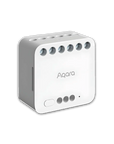


Dual Relay Module T2
Grab a bundle & explore our kits!
[Proximity]For a sturdy connection, ensure that the Aqara Dual Relay Module T2 is within 400 inches of the Aqara Zigbee hub, and the hub is within the same range from the Wi-Fi router. Additionally, make sure the hub and the router are on the same local area network (LAN). *Note: Requires a secured 2.4 gigahertz Wi-Fi network connection for Hub M2/ M1S/ E1/M1S Gen2 and Camera Hub G2H Pro, and 2.4/ 5 GHz Wi-Fi for Camera Hub G3.(Wired connection via Ethernet RJ45 for Hub M2 is also supported).
[Dry Contact Mode] The Aqara Dual Relay Module T2 supports dry (or potential-free) contact mode with both pulse and on-off switching, which allows you to integrate a great variety of electrical devices such as boilers, garage doors and much more into your smart home setup. (*Note: Neutral wire is required.)
[Wireless Switch Mode & Interlock for Motor Control] The T2 offers easy and secure control of tubular motors, and can also function as a roller shade switch. Additionally, with the Wireless Switch Mode, the T2 can turn an existing wall switch into a scene controller without requiring any wiring changes. For example, a button can be designated for arming your wired doorbell or security system. This feature also allows integration of other wired sensors into your smart automations (AC only).
[Energy Saving & Power off Memory] Integrating advanced energy monitoring, the T2 can ensure you maintain optimal control over your energy consumption. (Note: The energy monitoring feature is only available in wet contact mode). Thanks to the Zigbee protocol, the T2 features ultra lower idle power consumption compared to Wi-Fi relays, leading to reduced energy costs. Additionally, equipped with a power-off memory function, the T2 retains its last state even after power interruptions.
[Electrical Safety & Flexible Installation] The T2 supports overheat protection, overload protection and a customizable power limit that automatically shuts off the device if consumption exceeds your specified settings, directly safeguarding your home and your energy footprint. Also, the T2 can be installed near a light, behind a switch* or wall outlet and even includes a DIN rail mount.
 Aqara
Aqara
 Apple Home
 Alexa
Alexa
 Google Home
 IFTTT
IFTTT

Dual Relay Module T2
Live smart without replacing your original equipment.

Features

Dry Contact Mode
Versatile dry contact mode will let you integrate a whole variety of devices into your smart home.

HomeKit and Matter over Bridge Support
The T2 connects to Aqara Zigbee 3.0 hub supporting popular ecosystems: Matter, HomeKit, Google Home, Alexa, and more.*

Interlock and Motor Control
Thanks to the Interlock mode**, the T2 can also be used as a Roller Shade Switch. Let the morning sunshine gently wake you up and start your day.

Energy Monitoring and Power Memory
The T2 incorporates advanced energy monitoring*** and Power Memory for optimal energy control and uninterrupted operation.

Enhanced Safety and Security
Enjoy peace of mind with T2's smart safety features: overheat/overload protection and customizable power limit.****

Wireless Switch Mode
Converting to wireless switch mode is supported. Thanks to it, the T2 will be able to make an existing wall switch a scene controller and even connect to wired sensors***.

Multiple Installation Methods
The T2 can be installed near the light, behind the switch and even DIN rail mount, making it easy to install in electrical cabinets and other confined spaces*****.

Small Size and Versatile Design
The design fits selected round EU wall boxes, 86 mm boxes and US boxes where space permits. Installation behind switches or outlets must follow the rated load and wiring requirements.******
1. Wireless-switch, energy-monitoring and power-automation features depend on the supply configuration and are managed in Aqara Home. 2. Enable Interlock when controlling a bidirectional motor, as directed in the manual. 3. Not all features are exposed to third-party platforms. 4. The combined limit is 10 A across both channels, subject to model and load-type ratings. 5. A box about 60 mm deep or another suitable installation space is recommended; a qualified electrician should determine suitability.
Enhanced Compatibility
After connecting to an Aqara hub, the T2 supports Matter through its hub and is compatible with a number of systems, including HomeKit, Alexa, Google, and IFTTT (Please connect the T2 to Aqara hub first). It allows traditional devices to become smart and seamlessly integrates with multiple third-party systems. Forget about the limitations of different protocols and platforms and enjoy a seamless and harmonious smart home experience.
*Aqara Zigbee 3.0 hub is required, and a Matter-compatible Aqara hub is required for Matter support.
**Home Assistant is supported via Aqara hub using Homekit Controller and Matter integrations.
***Please note: Convert to Wireless Switch mode, Energy Monitoring and Power Automations are only available on Aqara Home app and are not exposed to third-party ecosystems.

Making the existing devices smart
Transforming conventional devices into smart devices, including roller blinds, curtain motors, garage
doors, awnings, gates, and electric sliding doors. Automations and scenes that can be triggered by:


Unleash the Potential of Existing Devices
The T2 supports dry-contact and powered-contact modes. Dry contacts provide pulse or on/off control to a compatible circuit; powered-contact mode can control suitable loads such as lights within the specified limits. Jumper configuration differs between modes and must be set by a qualified electrician according to the manual, with the supply isolated.
*When controlling the garage door, ensure that there is no risk of jamming a person.
**To use the T2 as a Roller Shade Switch, the Interlock mode should be strictly enabled.
Convert to Wireless Switch Mode
Easily turn an existing wall switch into a wireless scene controller that doesn't need to change the batteries. For example, an arm button for your security system or a wired doorbell. Alternatively, you can connect one or two binary sensors*, and use the T2 in automations.

Wired doorbell + T2 = Smart doorbell

Ordinary switch + T2 = Smart switch
Safety is Fundamental
The T2 includes overtemperature and overload protection within its design limits. These functions do not replace a circuit breaker or properly selected wiring and protection. Observe the exact model voltage, current and load-type ratings.
* The installation of T2 is intended for users who are familiar with electrical installation. Advise that you contact a professional electrician and only use these instructions as a reference.

Power Off Memory and Energy Monitoring
The T2 comes equipped with a power off memory, which enables the device to remember its last state, in order not to turn the light on suddenly at night in case of a power cut.

The T2 supports electricity monitoring when powered by AC, with power automations available in Aqara Home.
*Please note: Energy Monitoring and Power Automations are only available in when the relay is powered by AC.
Energy Monitoring and Power Automations are available in Aqara Home and are not exposed to third-party ecosystems.

Low Idle Consumption
The T2 uses Zigbee with low standby consumption. Total consumption depends on device settings and connected loads.

Flexible Installation
The T2 can be mounted in a suitable location near a light, behind a switch, or in an electrical enclosure, using the supplied DIN-rail holder where appropriate. AC and DC supplies are supported within the exact model ratings; a qualified electrician must select the correct wiring.
*A wall box with a depth of about 60 mm is recommended. In case the existing wall box is not deep enough, you can try to use a Wireless Remote Switch H1, or a surface-mounted or ultra-thin wall switch to control the Relay.
**The Relay T2 is not a circuit breaker, and its maximum current of 10A does not allow it to control a big part of household circuits.

Thanks to the dry-contact mode, the Relay T2 can be used to make your existing garage door smart*
IF You arrive within 500 meters from your home
THEN Open the garage door
*The garage door opener should be able to be controlled using dry contacts.


IF Presence is detected
THEN Turn on a light switch or a heater connected to the outlet


Specifications


FAQ
What is the difference between the Dual Relay Module T2 and wall switch?
1. Wall switches can be directly controlled locally, while the Dual Relay Module T2 needs to be connected to the existing traditional switch to achieve local control; 2. The Dual Relay Module T2 needs to be connected to the neutral and live wires. The wall switch has both with neutral or without neutral version; 3. The Dual Relay Module T2 offers flexible installation options. it can be placed in the wall box, inside the ceiling, or within the electrical box.
What is the difference between the Dual Relay Module T2 and wireless switch?
The Dual Relay Module T2, when connected to a wire, can serve as remote and intelligent control of the connected circuit's power supply and disconnection, enabling normal lights to function as smart lights. On the other hand, the wireless switch is a controller that can control devices such as the Dual Relay Module T2 by setting it up via the app, but it cannot directly control the electric light.
What is the difference between the Dual Relay Module T2 and the Dual Relay Module?
The Dual Relay Module T2 incorporates all the features of its predecessor, adding a dry contact mode that enhances compatibility with various devices. T2 has been optimized in size, making it more compact than the previous version. An additional DIN rail mount has been included, allowing for installation within the electrical box, further expanding placement options.
What is the purpose of the wiring terminals in the Dual Relay Module T2?
The module has N and L power terminals, LIN, LOUT, L1 and L2 circuit terminals, and S1, S2 and COM control inputs. Jumper use and wiring differ between dry-contact and powered-contact modes. A qualified electrician must follow the exact model and controlled-equipment wiring diagrams after safely isolating and verifying the supply.
How to distinguish between live wire and load wire?
Do not identify a wire solely by its colour: conventions and existing installations vary, and green or yellow may indicate protective earth. A qualified electrician must identify live, neutral and load conductors with suitable test equipment and safe isolation procedures.
Will there be a short circuit if the wiring terminals are connected incorrectly?
Incorrect wiring can cause shock, a short circuit or equipment damage. Do not experiment with terminal connections. Isolate the supply and have a qualified electrician follow the exact model wiring diagram, voltage and load limits.
What is the maximum communication distance between the Dual Relay Module T2 and the hub?
The communication distance between the Dual Relay Module T2 and the hub can reach 7-10 metres when separated by a wall; when separated by multiple walls, it is recommended to connect as close as possible.
What is the required power rating for the lighting products to function with the Dual Relay Module T2?
The module has no minimum load requirement in a suitable installation, but its model and load-type limits apply. The stated combined limit is 10 A for both channels; 2500 W is specified at 250 V for a suitable load. Motor and other load limits may be lower; consult the manual load table.
Does the Dual Relay Module T2 support multi-way switch setups?
Yes, using the Dual Relay Module T2 with the wireless switch enables multi-way switch setups. The wireless switch can be placed anywhere at home at will to control the Dual Relay Module T2.
What devices can be controlled by the Dual Relay Module T2?
The Dual Relay Module T2 can control, for example: non-intelligent lamps, curtain motors, garage doors, roller shutters, projector curtains, and other non-intelligent equipment switching status.